Ever since I started programming with Visual Studio 2003 and Visual Basic .NET, I’ve enjoyed creating cool software. I’ve really come to enjoy web development, since it allows me variety as I create both the user-facing interfaces and backend support infrastructure.
I’m now an active freelancer through a software development company I started in 2012. I’ve created websites that are used by thousands of people in three fourths of the world’s countries. I love working on projects that help others and make a difference.
Georgia Institute of Technology – 2016-2018
Computer Science – Information Internetworks and People
I’m finishing my Sophomore year at Georgia Tech. I’m an officer of the gt-webdev web development club. I’ve also been active in helping my classmates understand and work through homework problems.
Georgia Gwinnett College – 2014-2015
Information Technology – Software Develpment
I completed three semesters at Georgia Gwinnett College. While there, I was a student for summer Tech Camps and other events. I also frequently worked with other students to help the understand the material.
WordPressWordPress
I focus on providing high-quality solutions for WordPress websites. I’ve created custom themes from scratch and created plugins that completely customize core features. I’ve helped to monetize a multi-site network and modified WordPress login to authenticate using OAuth.
BootstrapBootstrap
I use Bootstrap to create websites that work on all screen sizes. I compile it from LESS or Sass, making it easy to customize for each site. I have use Bootstrap as part of WordPress themes and for standalone websites and server applications.
PHPPHP
I use PHP in combination with tools and libraries like Composer, Luracast, and PHPUnit to create standalone servers, including an user management server with OAuth support.
JSJavaScript
Since 2010, I’ve done extensive work with JavaScript. I even created and sold a web-based media player, back when each device had its own way to play media.
HTMLHTML
When I write HTML, I make sure that it’s search engine friendly and follows accessibility standards. I take advantage of new HTML5 features to make development faster.
CSSCSS
I enjoy pushing the limits of CSS. I try to use as few images as possible. Instead, I use icon fonts and new CSS3 features. Even when I use new features, I make sure my CSS is backward-compatible.
LESS & SASSCSS Preprocessors
I take advantage of CSS preprocessors like LESS and Sass so I can quickly change the colors and layout of WordPress themes and web apps.
jQueryJQueryJQueryJQuery
I know how to use jQuery to make great web applications. I frequently combine jQuery with Bootstrap and other libraries so I can take advantage of existing code.
StripeCredit Card Payments
I use Stripe to securely handle payment information while retaining the ability to customize payment form styling and maintain billing flexibility.
 MongoDB
I’ve used MongoDB to quickly create standalone web services that store images, purchase domain names, and handle recurring billing.










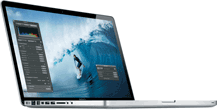 MacBook Pro
I was a Windows user for years, but now, I love the look and feel of Mac OS. Using the iOS simulators in Xcode, I can also test websites on iPhones and iPads.
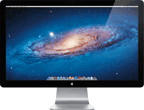 Thunderbolt Display
My external screen is a huge productivity booster. I love the large screen real estate and all the ports on the back. One problem — now I want another one.
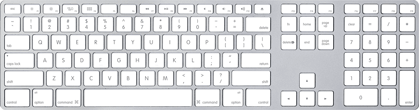 Apple Keyboard
This isn’t my most showy piece of hardware, but it’s a nice keyboard. I can position it separately from my MacBook, and I get a numpad and full-size arrow keys.
 Logitech MX Master
I never thought a new mouse could make a difference, but I love the gesture features and side-to-side scrolling of this mouse. It’s also very comfortable to use.
 Brackets
Brackets is my go-to text editor. It has its quirks but, I love the nearly instant search in project and all of the plugins that are available.
 Cyberduck
I use Cyberduck for managing files over FTP, SFTP, AWS S3, and Rackspace Cloud files. I love how it handles any protocol I need to use.
 Google Chrome
I’m not sure what I’d do without Chrome’s developer tools. Combined with a few extensions, Chrome is an invaluable tool.
 CodeKit
CodeKit automatically compiles my LESS, Sass, and JavaScript when I make changes and can also minify images. It’s a great timesaver!
 &
& 
Photoshop & Illustrator
Nothing beats the real Adobe Creative Suite. I love using Photoshop and Illustrator to edit images and vectors.
 Creative Cloud Extract
Extract is really helpful when creating a website from a PSD design. It gives me CSS and even exports PNGs from PSD layers.
 Parallels Desktop
As much as I hate Internet Explorer, I still need to test my websites on it. I use Parallels Desktop to run Microsoft’s IE VMs.
 Trello
Trello boards are great when collaborating on projects. It makes it easy to assign task ownership and keep track of progress.